
Our support pages have been provided in English, to translate to your desired language you can use the built-in translate function in Chrome or Firefox.
Ordering Personalized Products
How to Order Products from Catalogs that Allow Personalization of Products
Note: Not all brands offer product customization or personalization. For those brands that do offer the option to personalize products please follow the steps below.
1. Once signed into your Elastic account: click 'Explore' -> 'Catalogs' -> open the catalog that allows personalization, customization, embroidery, or adding logos.
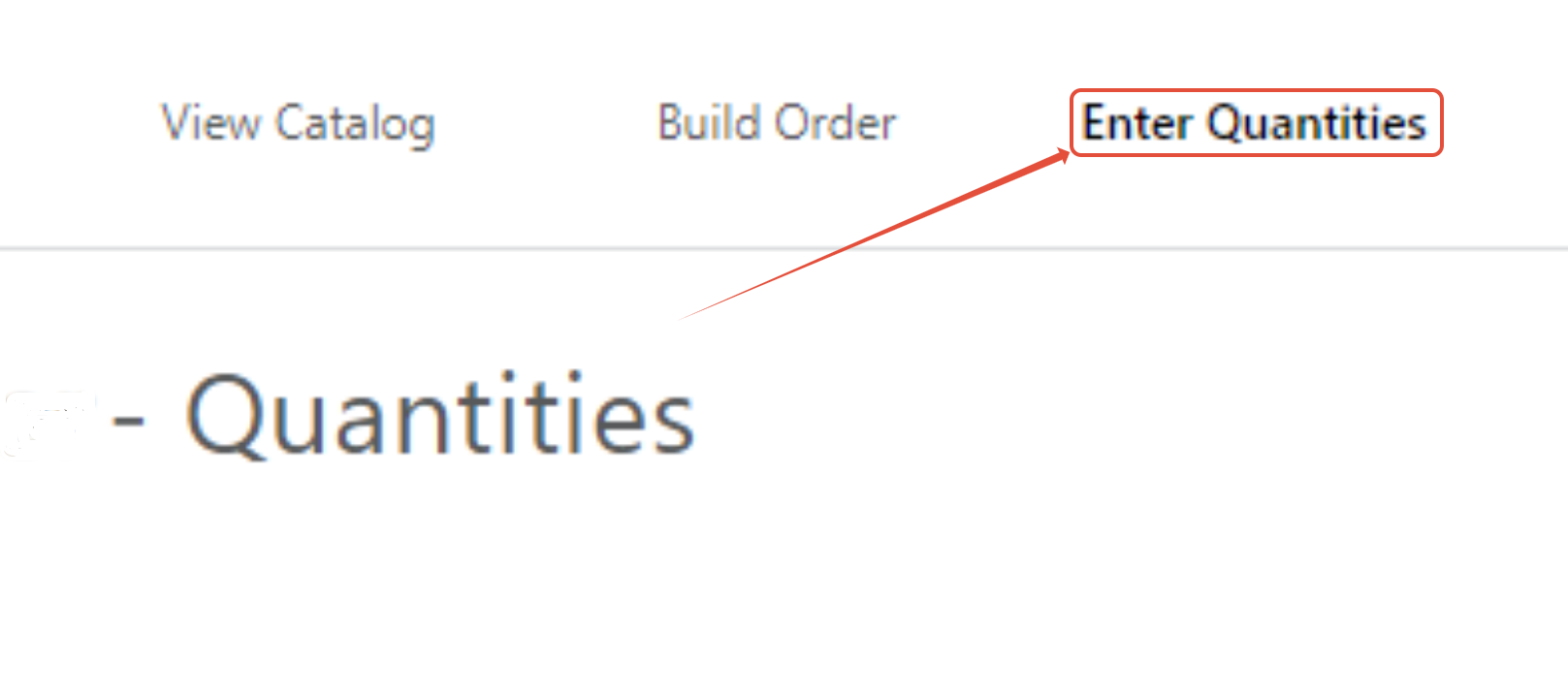
2. Add the product(s) you wish to customize to the Cart -> click 'Enter Quantities'.
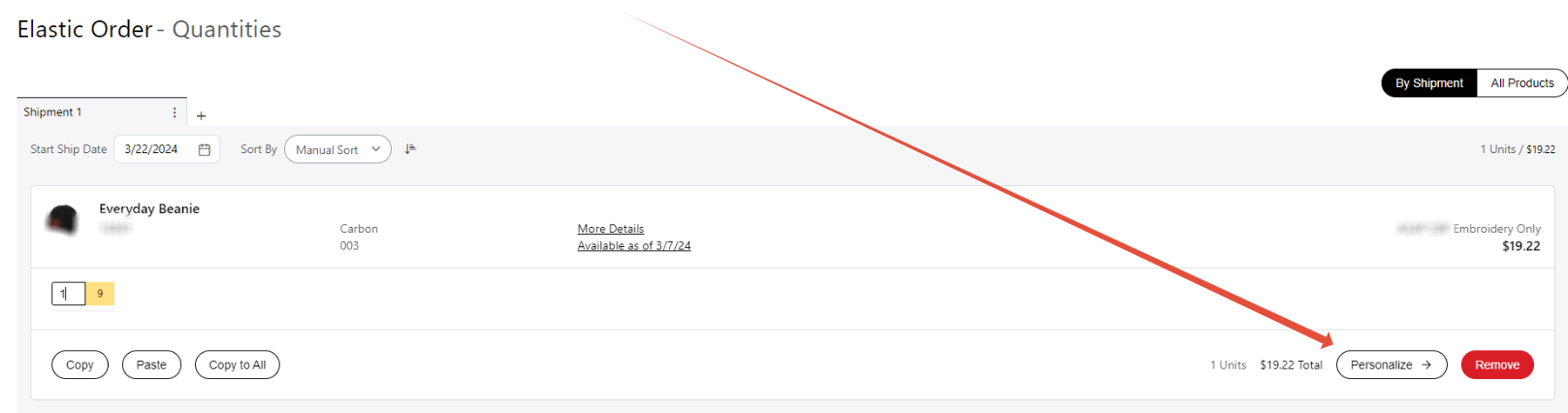
3. Once you have added your desired quantities for the item(s) in the Cart, click 'Personalize'.
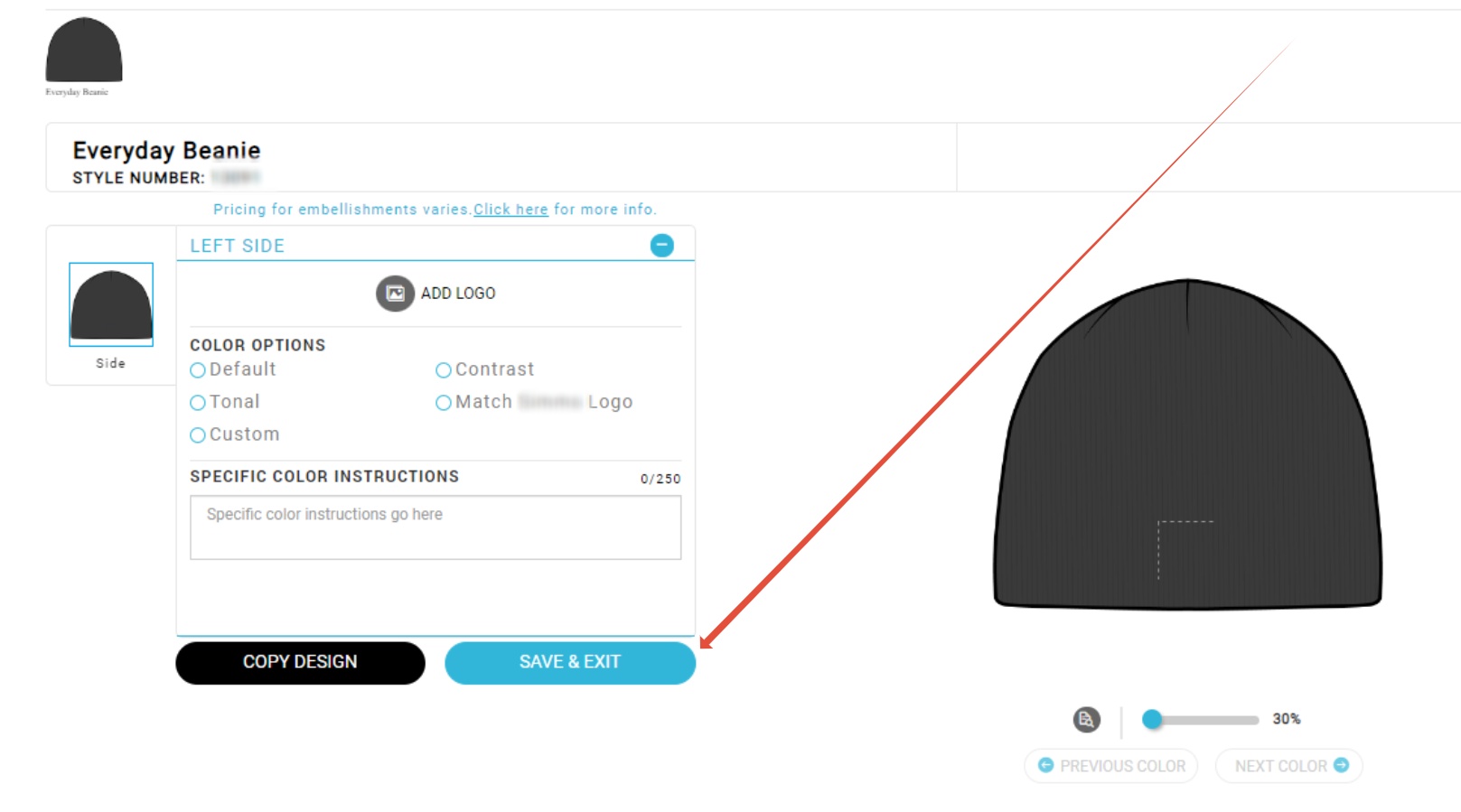
4. Follow the instructions provided by the brand to personalize the product(s) -> click 'Save & Exit'.
5. Proceed with the order submission process.
For guidance on how to submit an order in Elastic, please reference the New Rep and Buyer Toolkit.