Our support pages have been provided in English, to translate to your desired language you can use the built-in translate function in Chrome or Firefox.
Excel Download in Orders View
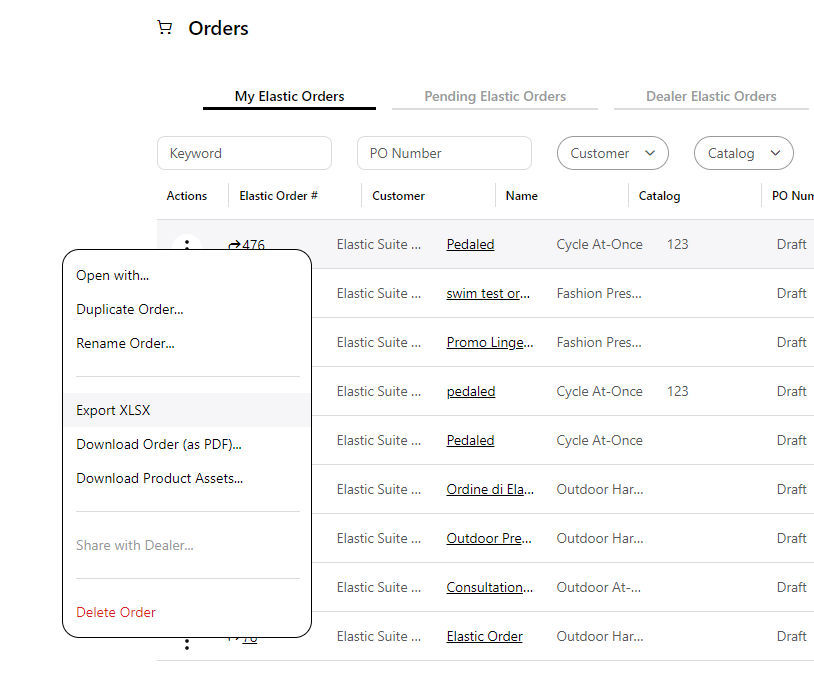
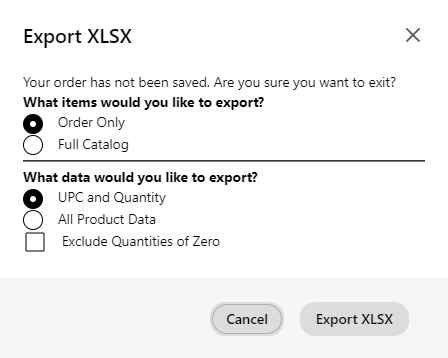
You will now have the option to download your orders as an XLSX file under the Orders view by clicking the 'Actions' menu and selecting 'Export XLSX'. This will open a new dialogue window where you can choose which data you would like to export.