
Our support pages have been provided in English, to translate to your desired language you can use the built-in translate function in Chrome or Firefox.
Automatically Create Shipments
Depending on which brand portal you're using, you may see a new option on the Create New Order page. With the 'Automatically Create Shipments' checkbox selected, your new order will automatically be divided into preset shipments. 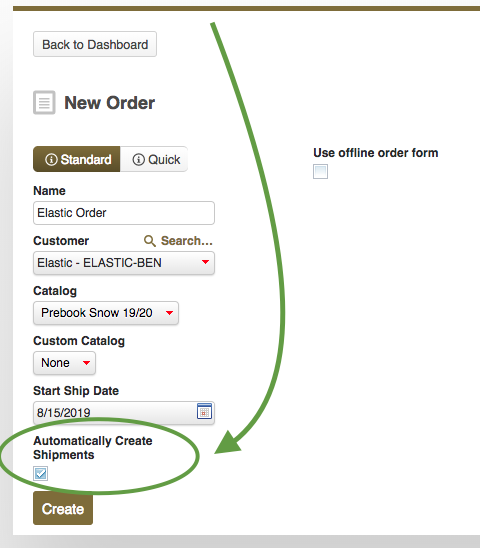
Click 'Create' with the option checked, and your order will be split into preset ship dates based on the availability date of products.
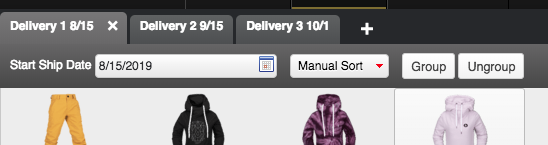
You can create an additional shipment by clicking on the + button to the right of the shipment tabs.
You can always rename, duplicate or delete a shipment by double clicking on a shipment tab.