
Our support pages have been provided in English, to translate to your desired language you can use the built-in translate function in Chrome or Firefox.
Account Settings
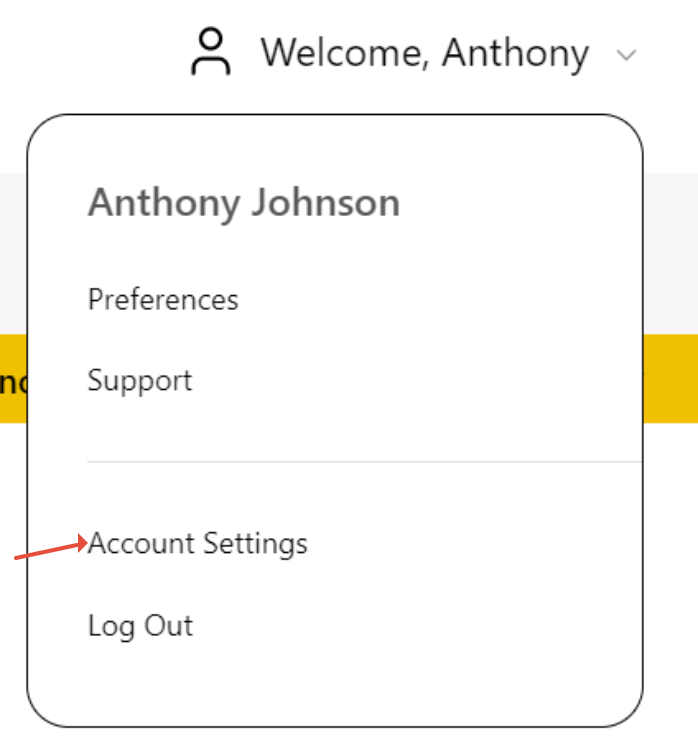
'Account Settings' can be found by clicking your name in the top right of the. This menu allows you to change your 'First Name', 'Last Name', 'Username', 'E-mail', and 'Password' for the logged in user account.
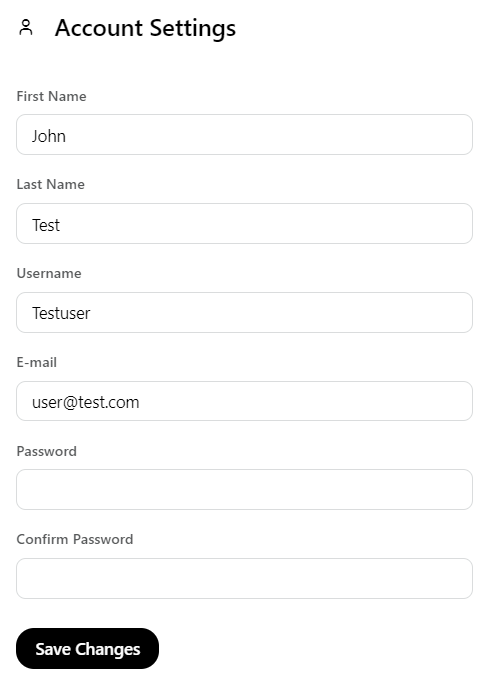
After entering in the desired information select 'Save Changes' for your changes to take effect, on successful entry you will receive a message that says 'Successfully Updated!'. Below are some stipulations to changes to keep in mind.
- Username must be unique from other users
- Password must be at least 8 characters in length
If unsuccessful you will see a red error message, detailing what needs to be changed to submit the changes to your account.
